


7 Tips for Buying the Best Fingerprint Scanner
A Fingerprint Scanner can make access faster, but convenience alone is not a sound buying criterion. The right model must read reliably, protect stored templates, and fit the way people actually work. Think of a busy reception desk: users arrive with cold, damp, or dusty fingers, and even a small delay can create a queue. Real-world performance matters.
Security deserves equal attention. IBM’s Cost of a Data Breach Report 2024 placed the global average breach cost at $4.88 million. That figure does not prove a fingerprint reader prevents breaches. It does show why organizations should assess identity controls carefully. NIST Special Publication 800-63B also treats biometrics as part of multi-factor authentication, rather than a standalone secret. A scanner should support a broader security plan.
Small details count. Check whether the device handles frequent use, offers presentation-attack detection, and works with your existing software and access system. Review enrollment steps, cleaning requirements, warranty terms, and the supplier’s support record. Ask how the scanner performs across different users, not just in a polished demonstration. A quick demo can mislead. No device is perfect, and published specifications may not reflect your workplace. These seven tips will help you compare accuracy, security, durability, compatibility, and total cost before choosing a scanner.
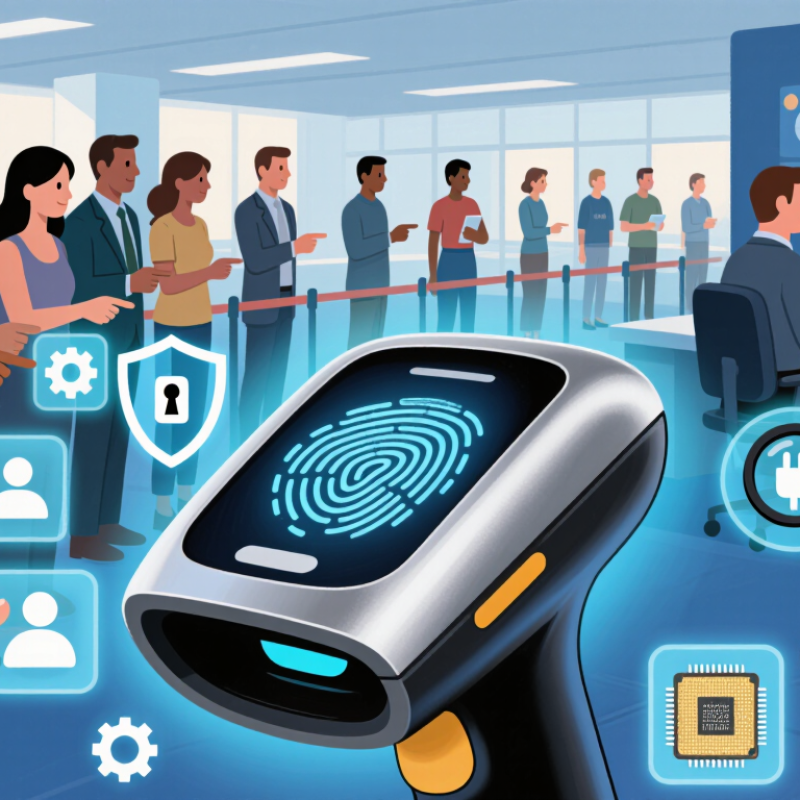
Identify Your Use Case and Required Scanner Type
Before comparing fingerprint scanners, define the task: employee check-in, customer account access, or identity enrollment. A phone-sized capacitive reader may suit occasional, one-finger checks. A fixed optical platen is often more practical for repeated enrollment, where users need clear placement cues and staff can control the capture process. For outdoor or high-volume use, test the scanner with cold, damp, or worn fingers—not just clean fingertips under office lights.
Capture quality matters. NIST Special Publication 800-76-2 specifies 500 pixels per inch for fingerprint images used in personal identity verification. That is a useful technical reference, not a guarantee that every 500-ppi device fits every workflow. Confirm supported image formats, matching software compatibility, and whether the system performs one-to-one verification or searches a larger database. Those are different jobs. A fast reader can still create delays if its images do not integrate with your enrollment process.
Think about daily handling, too. Will the scanner sit on a desk, travel between rooms, or be built into a kiosk? Check cleaning instructions, cable durability, and how easily users can reposition a finger. Small details matter. One limitation is easy to overlook: dry skin can make capture inconsistent, so a short real-world pilot is more useful than relying on specification sheets alone. Test with the people and conditions you actually expect.
7 Tips for Buying the Best Fingerprint Scanner - Identify Your Use Case and Required Scanner Type
| Tip | Use Case | Scanner Type to Consider | What to Check |
|---|---|---|---|
| 1. Define the job the scanner must do | Unlocking a personal device or recording attendance at a small site | Compact area reader, often capacitive | Required operating system support, connection method, enrollment capacity, and whether the reader is intended for one-to-one verification or identification among many enrolled users. |
| 2. Match the sensor to the environment | Indoor office access or a controlled workstation | Optical or capacitive reader | Check the stated operating temperature, resistance to dust and moisture, cleaning guidance, and whether the device is rated for the installation location. |
| 3. Consider challenging fingers and conditions | Frequent use by people with dry, worn, or lightly soiled fingers | Compare optical, capacitive, and ultrasonic models in a practical test | Capture performance varies by sensor and user condition. Test with representative users rather than relying only on a single published accuracy figure. |
| 4. Choose the right capture area | Self-service enrollment, kiosks, or applications where finger placement may vary | Larger-area or multi-finger reader, if supported by the application | Compare capture area, placement guidance, enrollment steps, and compatibility with the software. A larger sensor does not automatically guarantee better matching. |
| 5. Check security and liveness features | Door access, account authentication, or other security-sensitive systems | Reader with documented presentation-attack detection, where required | Review independent test results and the system's security design. Fingerprint matching alone does not replace access controls, encryption, or a fallback method. |
| 6. Verify integration before buying | Existing access-control, time-and-attendance, or identity software | USB, network-connected, or embedded reader appropriate to the system | Confirm supported drivers, SDK or API availability, operating-system compatibility, data formats, and whether integration has been tested with your specific software. |
| 7. Plan for privacy, maintenance, and fallback | Workplaces or public-facing systems that store biometric records | Any suitable reader supported by a privacy-conscious system design | Understand where templates are stored, who can access them, retention and deletion procedures, applicable privacy requirements, cleaning needs, warranty terms, and the alternative for users who cannot or do not wish to enroll. |
Newsletter
Subscribe to our newsletter and receive the latest news and exclusive insights every month. No spam.

LabConsulting GmbH and LC LabService GmbH are Austrian companies which cooperate with over 600 manufacturers and offers a selection of more than 180,000 products and various laboratory product and service solutions for our Labcustomers.
Die LabConsulting GmbH und die LC LabService GmbH sind österreichische Unternehmen, die mit über 600 global verteilten Herstellern zusammenarbeiten und mit einer Auswahl von mehr als 180.000 Produkten und verschiedenen Laborprodukt- und Servicelösungen unseren Parnern im Labor anbieten.
INSTOCK CATALOG


Our services
Our services

