Explore cutting-edge articles on laboratory products, industry innovations, and research trends with Lab Consulting.
Choosing Rackmount Pcs in 2026 requires more than comparing processor names and purchase prices. A server room can expose weak decisions quickly. Heat gathers above poorly planned airflow. Short cables become tangled behind a crowded cabinet. A powerful system may still fail when its chassis, rails, or power design do not fit the environment.
David Lin, a rackmount systems engineer with more than fifteen years of deployment experience, says, “The best rackmount PC is the one that fits the workload, cabinet, and maintenance routine together.” That practical view matters. Buyers should examine CPU performance, memory capacity, storage endurance, network interfaces, expansion slots, and remote-management features. A 1U chassis saves space, but it may limit cooling and internal upgrades. A 4U chassis offers room, yet it consumes valuable rack capacity.
This guide, How to Choose Rackmount PCs in 2026?, follows those real operating conditions. It considers industrial control, edge computing, security monitoring, virtualization, and laboratory workloads. It also examines noise, power consumption, operating temperature, warranty coverage, and supplier support. These details often determine whether a system remains useful after installation.
Specifications can mislead.
A benchmark may look impressive on paper. However, sustained workloads can produce different results. Some buyers may also overestimate future expansion needs. That mistake wastes money and rack space. A better choice starts with measured requirements, clear environmental limits, and an honest maintenance plan. The right Rackmount Pcs solution should perform reliably today without becoming a burden tomorrow.
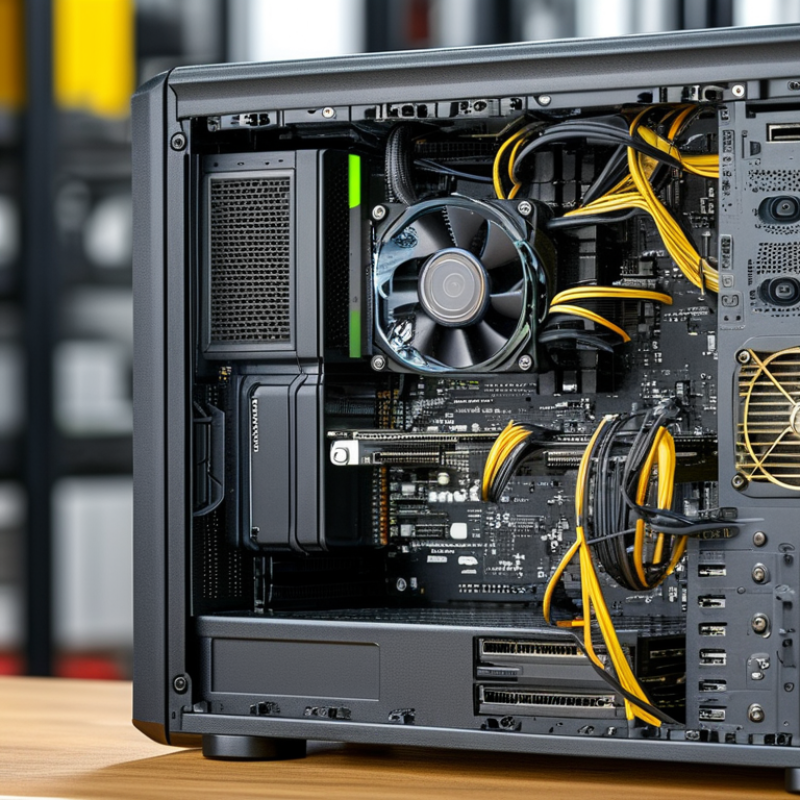
How to Choose Rackmount PCs in 2026?
Define Rackmount PC Requirements for Your 2026 Use Case
Start with the workload, not the chassis. A security gateway needs reliable network throughput and low latency. An industrial vision system needs GPU capacity, camera interfaces, and stable operation near machinery. A virtualization host needs memory headroom, fast storage, and predictable expansion. Record the required rack height, chassis depth, rail clearance, input voltage, and ambient temperature. These details prevent expensive redesigns. The Uptime Institute’s 2024 Global Data Center Survey reported that 53% of respondents experienced an outage during the previous three years. Therefore, power protection, remote monitoring, and replaceable components deserve early attention.
Thermal planning is often underestimated. Measure front-to-back airflow, cabinet density, filter restrictions, and nearby heat sources. Check whether the PC can sustain its rated performance at the site’s highest temperature. A short benchmark is useful, but it is not a complete test. I would also test cable access, boot recovery, storage replacement, and remote administration. The International Energy Agency estimates that data centers could consume about 945 terawatt-hours annually by 2030. Efficient processors and power supplies can reduce operating pressure, although efficiency claims still need real measurements.
Tips: Write a one-page requirement sheet. Include peak load, not average load. Leave expansion space. Verify rack depth with installed rails. Ask for acoustic and thermal test conditions. Recheck every assumption. Small omissions become field problems.
Rackmount size determines more than height. A 1U system saves cabinet space but usually limits cooling, storage, and full-height expansion cards. A 2U chassis offers better airflow and supports larger graphics, networking, or capture cards. In field installations, I have seen compact systems fail because future expansion was treated as an afterthought. That mistake is expensive.
Form factor should match the environment. Short-depth chassis fit telecom cabinets and shallow enclosures, while standard-depth systems provide more room for drives and power supplies. A 2024 Uptime Institute survey found that 53% of respondents experienced an IT outage during the previous three years. Thermal stress and maintenance access can contribute to avoidable failures. Leave practical clearance around fans, cables, and removable components.
Expansion options deserve a written plan. Count PCIe slots, drive bays, memory capacity, USB ports, and network interfaces before ordering. Consider single-width and double-width card support. Also check whether the power supply can handle later upgrades. The 2024 IDC Worldwide Quarterly Server Tracker reported continued growth in accelerator-rich server demand, showing how quickly compute requirements are changing. However, not every workload needs that level of hardware. More capacity is not always better. It can increase heat, noise, and service costs. A careful rack diagram, airflow test, and two-year upgrade forecast often reveal weaknesses that a specification sheet hides.
How to Choose Rackmount PCs in 2026?
Choosing a rackmount PC starts with the workload, not the chassis size. A database server needs steady processor performance, while video analysis may require stronger graphics hardware. Count real tasks: concurrent users, virtual machines, data processing, and display outputs. I have seen systems fail because buyers compared core counts alone. Clock speed, cache, power limits, and sustained cooling matter during long workloads.
Memory deserves equal attention. Use enough capacity for peak demand, not yesterday’s average. Error-correcting memory can reduce silent data corruption in professional environments. Storage should match access patterns. NVMe drives improve frequent reads, while redundant storage protects against a single drive failure. Still, redundancy is not a backup. That distinction is easy to miss.
Tips: Run workload-based benchmarks before purchase. Check memory expansion slots, storage bays, and graphics clearance. Leave thermal headroom. A rack may feel cool at installation, yet become hot after several machines run together. Review airflow direction and fan noise in the actual server room. Graphics performance also depends on driver support, power delivery, and available cooling. More graphics memory is not automatically better. I would test the intended software with representative files, because synthetic scores can look impressive and still disappoint. Recheck these assumptions every year.
Choosing a rackmount PC in 2026 starts with the rack, not the processor. In field installations, I measure available depth, rail clearance, and cable space before comparing performance. A powerful system is useless when its rear connectors block airflow. Check the power budget under peak load, not idle consumption. Add headroom for storage devices, expansion cards, and startup surges. A practical target is 20 to 30 percent reserve. Redundant power supplies improve resilience, but they also increase heat and service complexity. That trade-off deserves a written calculation.
Cooling needs equal attention. Estimate the cabinet’s heat load in watts, then verify the room’s airflow path. Front-to-back cooling works only when blanking panels and cable routing preserve that path. Watch inlet temperature during stress testing. A cool morning can hide an afternoon failure. Dusty workshops may need replaceable filters and easier fan access. In a sealed enclosure, passive assumptions can fail quickly. Measure it. Do not trust a specification sheet alone.
Noise becomes a real requirement in control rooms, laboratories, and nearby offices. Ask for acoustic data at a stated distance and operating load. Fan noise often rises sharply when ambient temperature climbs. Environmental checks should include humidity, vibration, dust, altitude, and temperature cycling. For transportable systems, secure internal drives and inspect shock limits. I once treated humidity as a minor detail; condensation later proved otherwise. That mistake changed my checklist. Verify certifications and installation limits with qualified technicians, and record test conditions for future maintenance. A rackmount PC should fit the environment you can actually provide, not the one you hope to create.
Choosing a rackmount PC starts with compatibility, not processor speed. Measure the rack depth, mounting pattern, airflow path, and available power before comparing specifications. A short chassis may fit the cabinet but leave cables sharply bent behind it. Check operating temperature ratings, expansion slots, storage interfaces, and display outputs against the actual workload. Virtual testing helps, but a physical rail and cable trial often reveal problems earlier.
Security should be verified at the hardware and firmware levels. Look for secure boot support, hardware-based encryption, signed firmware, and clear update procedures. Restrict external ports where practical. Record every installed component and firmware version. This simple inventory improves incident response and maintenance accuracy. I once overlooked a management port during an installation review. It created unnecessary exposure until the network policy was corrected.
Serviceability affects both downtime and long-term value. Choose tool-less access only when it remains secure in a busy rack. Front-accessible drives, labeled cables, replaceable fans, and readable status indicators can shorten maintenance visits. Confirm spare-part availability, warranty terms, repair turnaround, and documentation before purchase. Calculate energy use over several years, not only the initial price. A cheaper system may demand more cooling and labor. Still, forecasts are imperfect. Leave room for memory upgrades, storage growth, and changing security requirements, because yesterday’s ideal configuration may become restrictive sooner than expected.
Subscribe to our newsletter and receive the latest news and exclusive insights every month. No spam.
LabConsulting GmbH and LC LabService GmbH are Austrian companies which cooperate with over 600 manufacturers and offers a selection of more than 180,000 products and various laboratory product and service solutions for our Labcustomers.
Die LabConsulting GmbH und die LC LabService GmbH sind österreichische Unternehmen, die mit über 600 global verteilten Herstellern zusammenarbeiten und mit einer Auswahl von mehr als 180.000 Produkten und verschiedenen Laborprodukt- und Servicelösungen unseren Parnern im Labor anbieten.
INSTOCK CATALOGOur services
Our services